
02 Nov Mastering Virtual Property Tours: What They Are and How to Create One
| TLDR; Real estate virtual tours are interactive, 360-degree walkthroughs of a home that buyers navigate online, room by room. The usual way to get one made is to book a Matterport scan alongside your regular photo shoot. The scan builds a model a buyer can move through on any device, at any hour, without booking a showing. For agents, it gives a listing something a photo set cannot. |
A photo set shows a buyer the rooms you chose to shoot, but a virtual tour lets them explore the whole home, stepping from room to room to see how the spaces connect.
These days, that freedom has changed what buyers expect out of a showing. For an out-of-town buyer (or one who cannot make a weekday showing), the tour is often the first proper look at a home, and a listing without one can drop off the shortlist surprisingly quickly.
Real estate virtual tours also work for you behind the scenes, as a buyer who has toured online treats the showing more seriously and is better informed. This post covers what virtual tours for real estate are, why buyers expect one, how to prep the home, and how to get a tour made.
Key Takeaways
- A virtual tour lets buyers self-navigate a home online, unlike a fixed video that plays on rails.
- Matterport is the most widely recognized platform for these tours, and the one At Home Media uses.
- Prep matters as much for a tour as for photos, since the scanner captures every room as it is.
- A finished tour can be embedded in the MLS or on portals, and shared as a standalone link.
What Is a Virtual Home Tour?
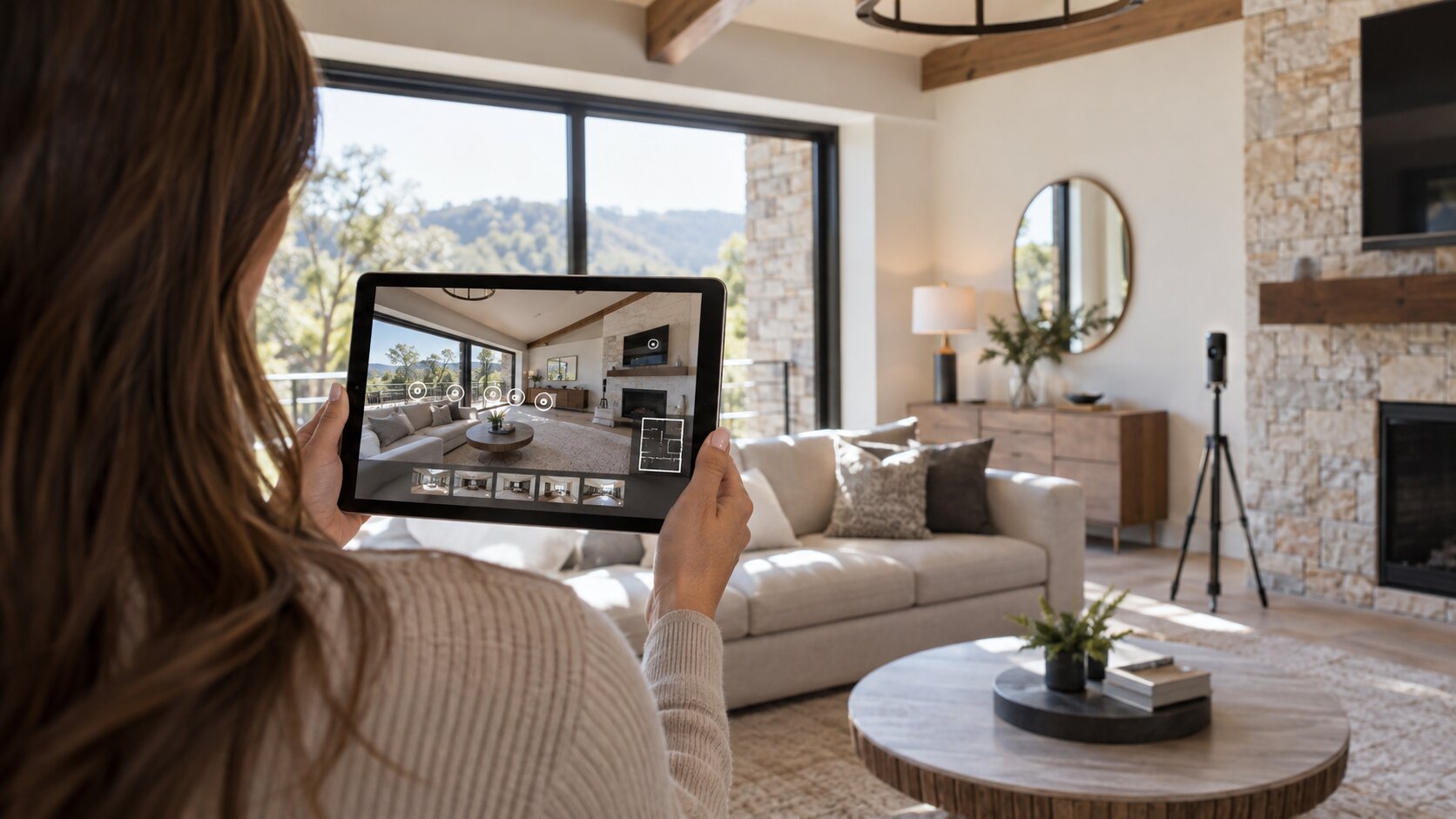
So what is a virtual home tour, and how does it differ from a video? It is an interactive 3D or 360-degree model of a home that the viewer controls, clicking or swiping to move room to room, look anywhere, and get a real sense of the layout.
A video walkthrough is different. It plays as a fixed clip, edited in one order, at a set pace. The viewer watches, but cannot steer. A true virtual tour hands that control to the buyer, who lingers on the rooms they care about and skips the rest. That self-guided feel sets property virtual tours apart from a listing video.
| ℹ️ Pro tip: Turn off ceiling fans before a Matterport scan. The camera pauses at each spot to capture a full 360, so a spinning fan blurs into a mess in the model. Cover large mirrors too, since the scanner can catch its own reflection. |
Why Buyers Expect Virtual Tours Today
Buyers now compare homes side by side, online. They open a dozen listings, cut the weak ones, and keep the ones that let them look properly. Virtual tours for real estate keep your listing in that second group.
The pull is strongest with buyers who cannot visit easily. Someone moving from another state, an investor working across markets, or a buyer with no time for a weekday showing relies on what they see on screen. A tour lets them explore from anywhere, at any hour.
For these buyers, it is often the deciding look before they commit to a trip. Distance and diaries stop getting in the way.

How to Prepare Your Home for a Virtual Tour
Preparing your home for a virtual tour takes more care than prepping for photos. A camera captures the angle you choose, while the scanner captures everything in shot.
Work through the home before the scan and cover these points:
- Declutter every room. Clear counters, shelves, and floors, since a pile in the corner ends up in the tour.
- Turn on all the lights. Every lamp and fixture on, blinds open. Even light stops rooms from reading as dark.
- Secure pets. A moving animal can blur the scan, so keep pets crated or off-site during the visit.
- Remove personal and valuable items. Put away family photos, mail, and anything valuable, since buyers study every corner.
| ℹ️ Pro Tip: Treat the whole home as on show, not only the rooms you would pick for a photo. Closets, laundry rooms, and hallways all get captured, so give them the same attention to detail as you would any other room. |
How to Create a Virtual Tour for Your Listing
Wondering how to create a virtual home tour for your listing? It is simpler than most agents expect, and the work happens in one visit, in four steps:
- Book the scan. Add a Matterport tour to your next photo or video shoot, handled in one visit.
- Prep the home. Declutter, light the rooms, and clear personal items using the checklist above.
- Scan the home. Anthony captures the home on-site, room by room. The time scales with the size of the home.
- Receive and share. The finished tour comes back as a link to share with buyers and embed in the listing.
Booking the scan alongside your photos keeps the home to one showing-ready appointment. You get back a shareable link plus an embed for the MLS or a portal listing, and the tour then runs on its own, open to any buyer.
Booking the scan alongside your photos keeps the home to one showing-ready appointment. You get back a shareable link plus an embed for the MLS or a portal listing, and the tour then runs on its own, open to any buyer.
| 👉 Interested in virtual tour pricing for real estate? Our Matterport pricing guide covers everything. |

Ready to Add a Virtual Tour to Your Listing?
Real estate virtual tours give buyers a reason to spend real time with your listing. Instead of clicking through a handful of photos and moving on, they walk the home, get a feel for the flow, and picture themselves in the space. It gives a remarkable advantage over agents who do not make the most of this incredible tool.
The benefits are clear. By the time a buyer views the property, they already have a feel for the space, so the showings you get are with buyers who are close to a decision rather than just curious. For an out-of-town buyer, the tour can be the thing that puts your listing on the shortlist at all.
Adding one is straightforward. The Matterport scan slots into your regular photo shoot, so the home only has to be showing-ready once, and there is no second visit to arrange. Anthony captures the property, processes the tour, and sends back a link you can drop straight into the MLS, share on portals, or email to a buyer.
Ready to book a virtual property tour with Anthony? Just add Matterport 3D to your next shoot, and we will scan the home in the same session.
FAQ
How long does a virtual tour take to create?
The on-site scan is done in a single visit, and the time scales with the size of the home. The finished tour comes back after processing. Book it with your photo shoot, and nothing needs a second visit.
Can I share a virtual tour on Zillow?
Yes. A finished tour comes as a shareable link and an embed code. Add it to your MLS listing, share it on portals that accept 3D tours, or email it to buyers. Check your portal’s current rules on format.
What is the difference between a Matterport tour and a 360 photo tour?
A 360 photo tour is a set of panoramic stills from which the viewer looks around from fixed points. A Matterport tour is a connected 3D model of the whole home, so the buyer moves through it and sees how the rooms connect.
Do I need to prepare the home differently than for photos?
Yes, and with more care. The scanner captures every direction, so clutter cannot hide outside the frame. Declutter, light the rooms, secure pets, and put personal items away first.

Sorry, the comment form is closed at this time.